Billing & plans
Pay for a Business subscription
Choose a billing period and upload your payment slip.
For: Business account
Start here: Billing & plans
Business side menu → Billing & plans
Each section below names the page or dialog to use. Move to the next page only when the instructions say to.
Step-by-step instructions
Page / dialog · Step 1
Billing & plans
Where to go: Business side menu → Billing & plans
Open Billing & plans →- Step 1.
Open Billing & plans, then choose a Business subscription.
Relevant page screenshot
Example page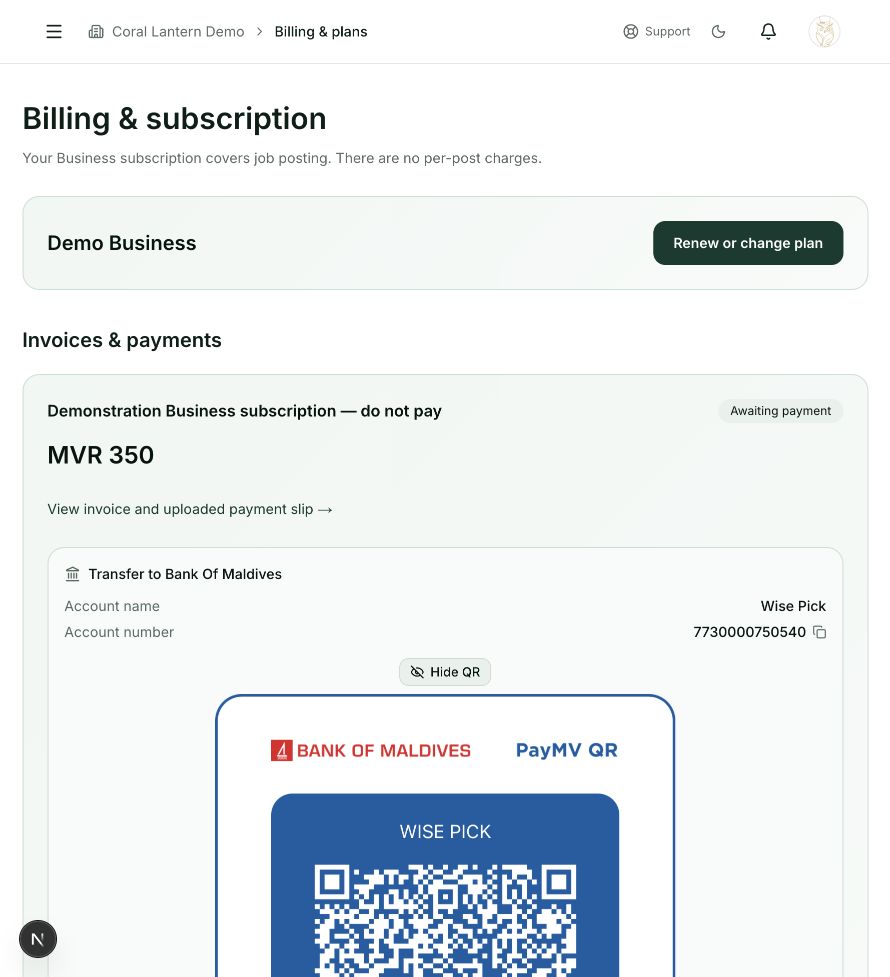
Billing & plans
Step 1 in this section. Where to find it: Business side menu → Billing & plans. This is an example of this page, not an additional task. Use the written instructions for the exact controls and the current details in your account.
This screenshot illustrates the named page and steps above. Example names and values may differ from your account. Follow the written instructions, especially for payments.
Screenshot 1 of 1: Billing & plans
Page / dialog · Step 2
Pricing
Where to go: Billing & plans → Choose or change a plan
Open Pricing →- Step 2.
Review the plan name, billing period and amount.
Page / dialog · Step 3
Invoice and payment details
Where to go: Billing & plans → Invoices & payments → Open the relevant invoice
- Step 3.
Continue to the invoice and payment details.
Outside WisePick · Step 4
Your banking app (outside WisePick)
Where to go: Use the payment details from your own WisePick invoice
- Step 4.
Make the bank transfer using the displayed bank and account information.
Page / dialog · Steps 5–6
Invoice and payment details
Where to go: Billing & plans → Invoices & payments → Open the relevant invoice
- Step 5.
Upload your payment slip to that invoice.
- Step 6.
Check the invoice status. The subscription is active while the slip is Pending verification; admin review changes an approved payment to Paid.
Good to know
Do not pay an account number sent by an unknown person. Use the details displayed inside WisePick. No separate charge is added for each job post.