Hiring & candidates
Hire a candidate and generate a contract
Move from an application to an employee record.
For: Business owner or authorised staff
Start here: Applicant details
Candidates → Review candidate, or Job openings → Job card → Applicants → Select applicant
Each section below names the page or dialog to use. Move to the next page only when the instructions say to.
Step-by-step instructions
Page / dialog · Steps 1–3
Applicant details
Where to go: Candidates → Review candidate, or Job openings → Job card → Applicants → Select applicant
Open Candidates →- Step 1.
Open the candidate and choose Hired.
- Step 2.
Confirm the status change after reviewing the notification warning.
- Step 3.
Select Generate contract / employee record.
Relevant page screenshot
Example page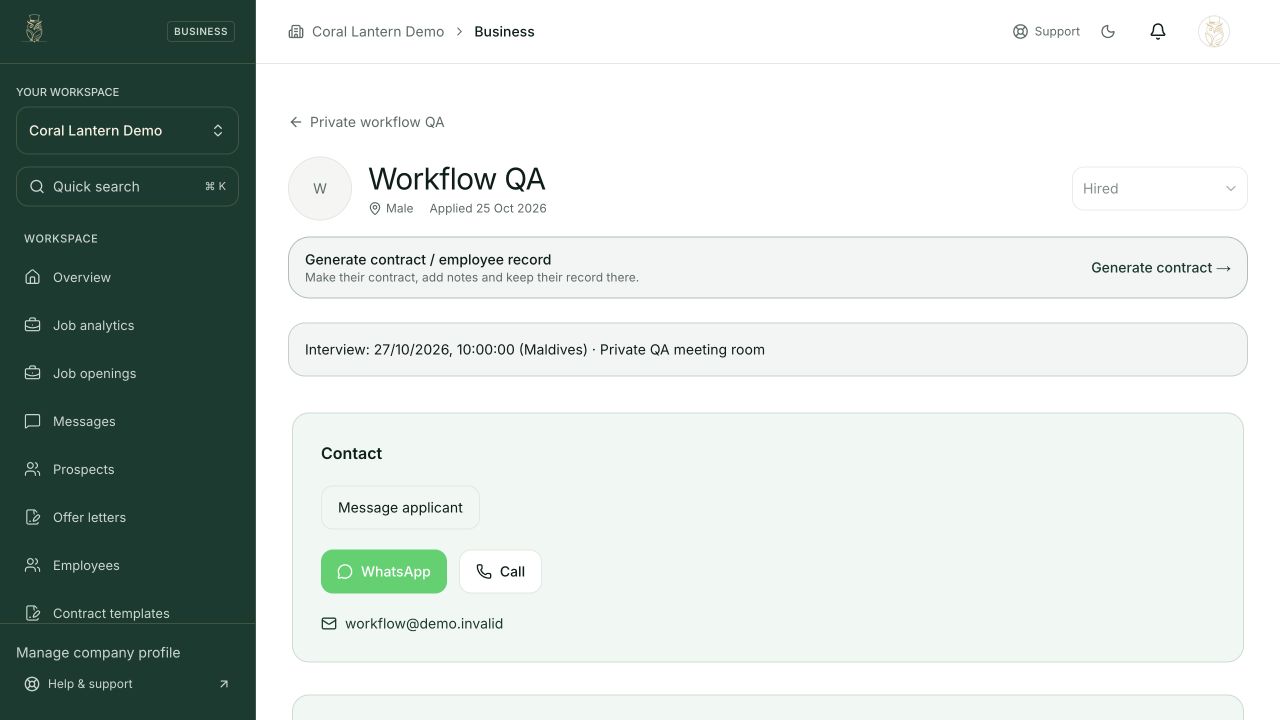
Applicant details
Step 3 in this section. Where to find it: Candidates → Review candidate, or Job openings → Job card → Applicants → Select applicant. This is an example of this page, not an additional task. Use the written instructions for the exact controls and the current details in your account.
This screenshot illustrates the named page and steps above. Example names and values may differ from your account. Follow the written instructions, especially for payments.
Screenshot 1 of 1: Applicant details
Page / dialog · Step 4
Employee record
Where to go: Employees → Choose an employee
Open Employees →- Step 4.
In Employees, open the contract download or generation control.
Relevant page screenshot
Example page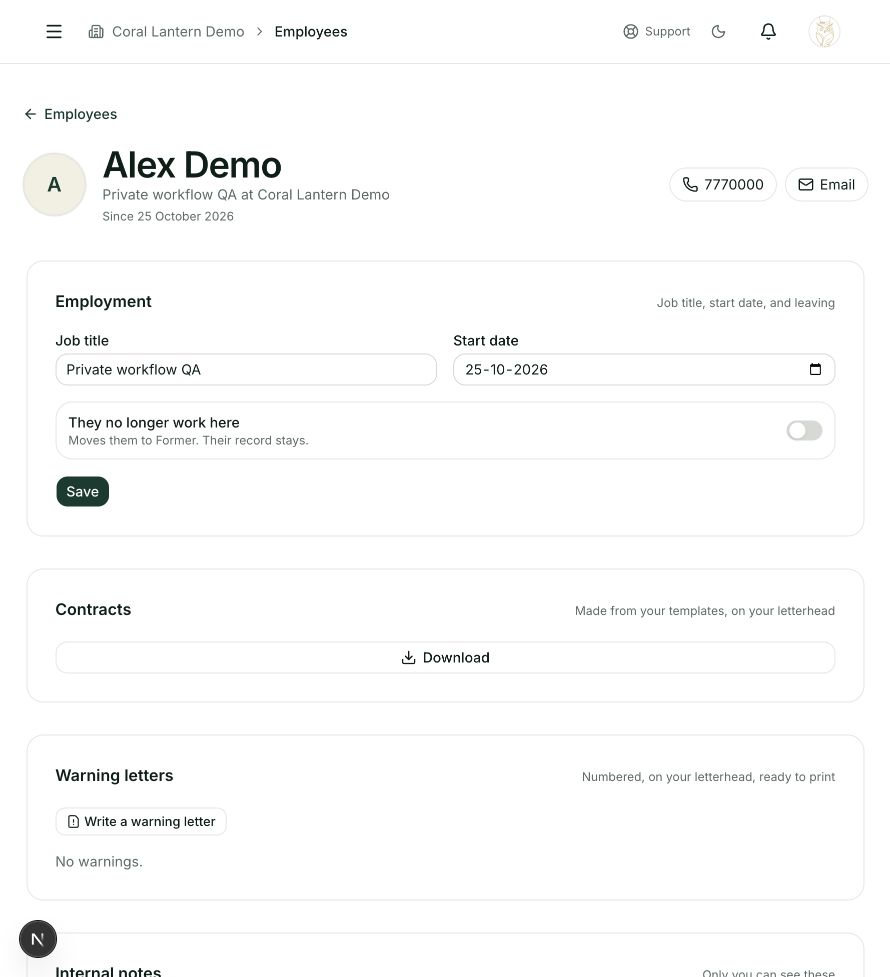
Employee record
Step 4 in this section. Where to find it: Employees → Choose an employee. This is an example of this page, not an additional task. Use the written instructions for the exact controls and the current details in your account.
This screenshot illustrates the named page and steps above. Example names and values may differ from your account. Follow the written instructions, especially for payments.
Screenshot 1 of 1: Employee record
Page / dialog · Steps 5–6
Generate document dialog
Where to go: Employee record → Download / generate document → Choose template
- Step 5.
Choose a saved template, enter the remaining employment details and generate the document.
- Step 6.
Review the generated document before sharing or signing it.
Good to know
The applicant can accept the job offer from My applications. Generating a document does not sign it for either party.