Finding & applying
Choose your job preferences
Improve the jobs WisePick recommends to you.
For: Individual account
Start here: Your job preferences
Jobs → Set your preferences, or open Your job preferences
Each section below names the page or dialog to use. Move to the next page only when the instructions say to.
Step-by-step instructions
Page / dialog · Steps 1–4
Your job preferences
Where to go: Jobs → Set your preferences, or open Your job preferences
Open Job preferences →- Step 1.
Open Your job preferences from the recommendations prompt on the Jobs page, or use the Open Job preferences link in this guide.
- Step 2.
Choose departments, types of work, locations, qualifications and skills that match your interests.
- Step 3.
Set your preferred salary range where available.
- Step 4.
Save your preferences.
Relevant page screenshot
Example page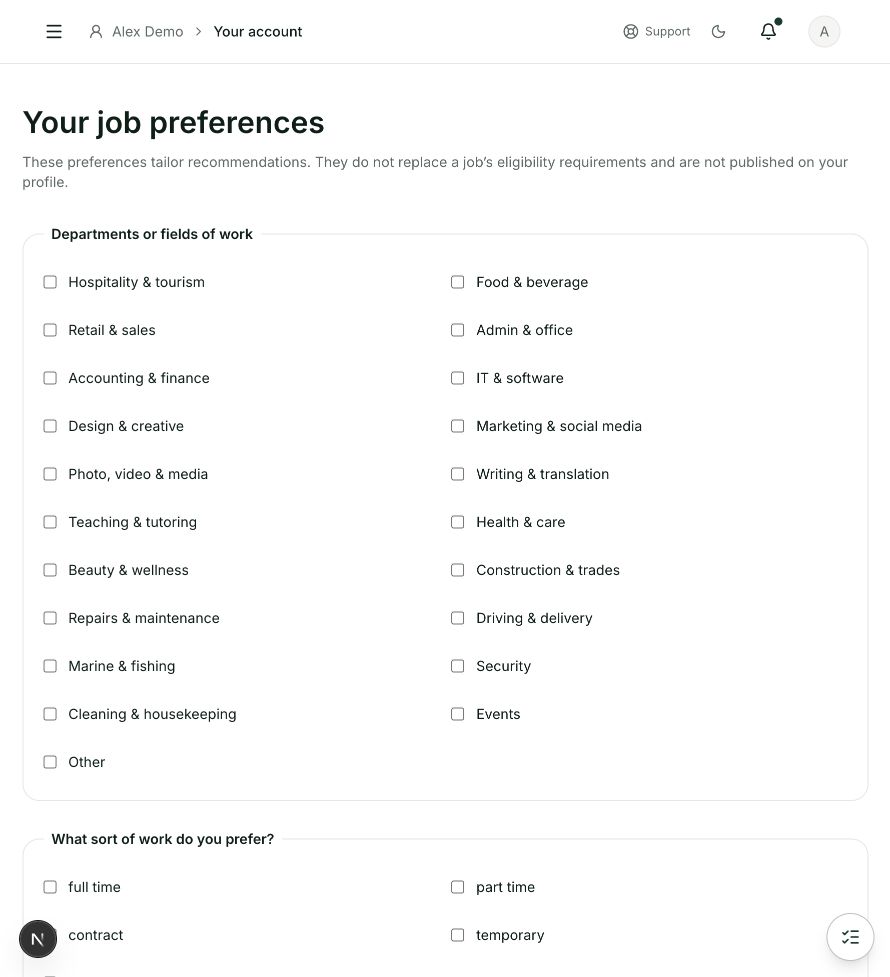
Your job preferences
Steps 1, 2, 3, 4 in this section. Where to find it: Jobs → Set your preferences, or open Your job preferences. This is an example of this page, not an additional task. Use the written instructions for the exact controls and the current details in your account.
This screenshot illustrates the named page and steps above. Example names and values may differ from your account. Follow the written instructions, especially for payments.
Screenshot 1 of 1: Your job preferences
Page / dialog · Step 5
Jobs
Where to go: Public website → Jobs, or individual Overview → Apply now
Open Jobs →- Step 5.
Return to the jobs page to view recommendations and their matching reasons.
Good to know
Recommendations help you find relevant roles; always read the job requirements before applying.