Finding & applying
Track your applications
See whether an online application has been shortlisted or moved forward.
For: Individual account
Start here: My applications
Individual side menu → My applications
Each section below names the page or dialog to use. Move to the next page only when the instructions say to.
Step-by-step instructions
Page / dialog · Steps 1–4
My applications
Where to go: Individual side menu → My applications
Open My applications →- Step 1.
Open My applications from the side menu.
- Step 2.
Find the job you applied to.
- Step 3.
Read the current status and progress indicator.
- Step 4.
Check any interview date and location, and watch for messages or notification updates.
Relevant page screenshot
Example page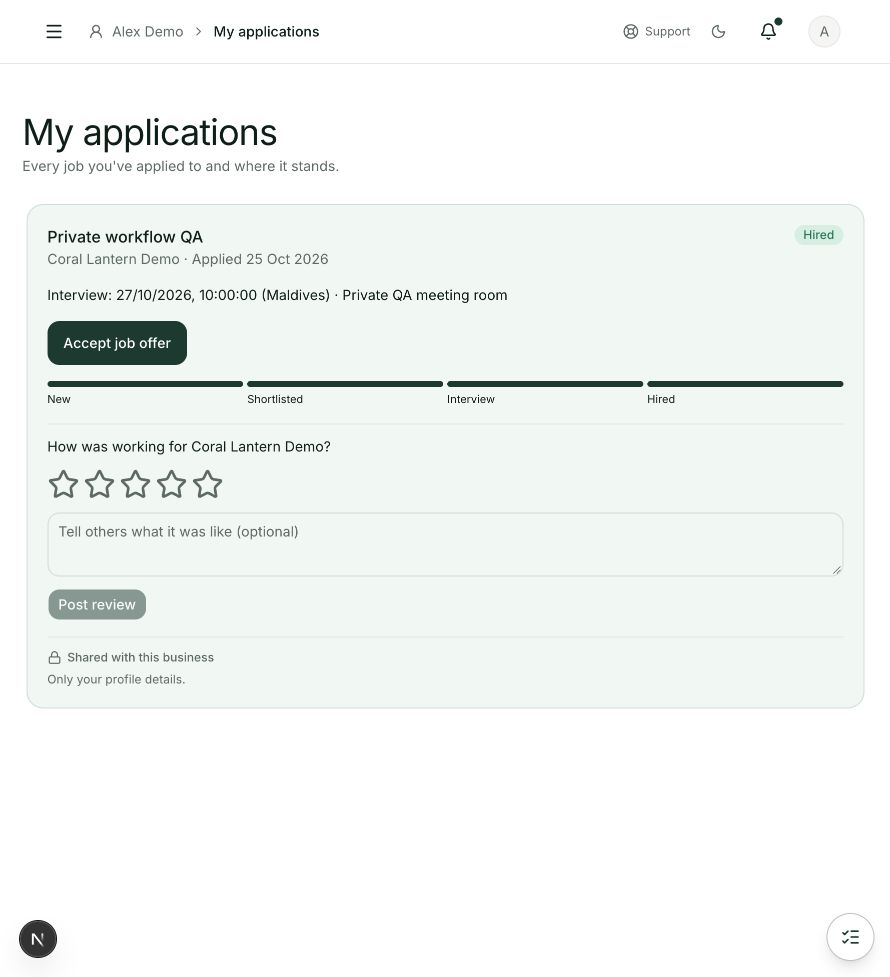
My applications
Steps 1, 2, 3, 4 in this section. Where to find it: Individual side menu → My applications. This is an example of this page, not an additional task. Use the written instructions for the exact controls and the current details in your account.
This screenshot illustrates the named page and steps above. Example names and values may differ from your account. Follow the written instructions, especially for payments.
Screenshot 1 of 1: My applications
Good to know
Status changes are made by the employer. Email-only applications may be handled outside WisePick.